

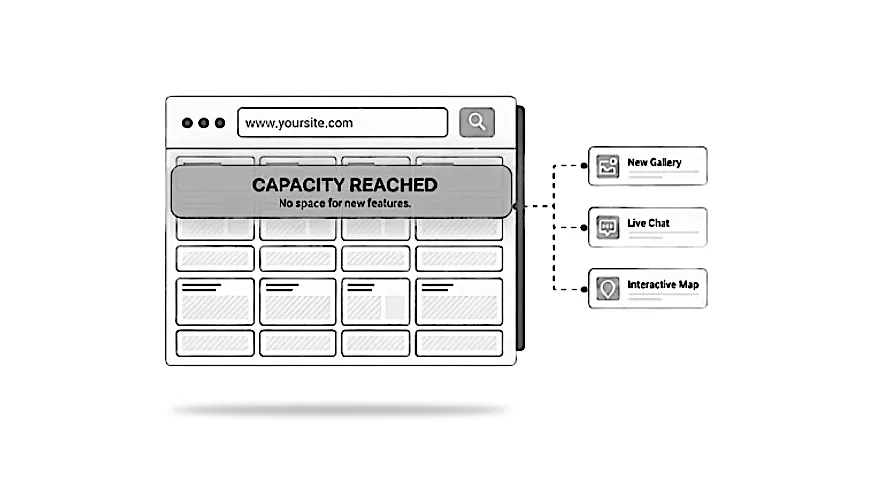
When you want to add something new to your WordPress site and it refuses to work properly, it can be frustrating. You try a plugin, adjust a setting, or follow a guide, yet the feature still behaves unpredictably. Many people assume the issue is a faulty plugin or a small mistake. In reality, the website’s underlying structure often sets the limits.
Why a website’s structure affects what you can add next
Every WordPress site sits on top of a theme, a group of plugins, and a framework that holds everything together. When this foundation is modern and tidy, new features tend to slot in smoothly. When it is older, heavily customised, or carrying years of changes, the site can struggle as you try to extend it.
For example, a coach might try adding a booking system. They install the plugin, but it refuses to sync with the calendar or breaks an existing layout. At first it seems like a small glitch. In reality, the older setup simply cannot support the new tool.
Modern features expect cleaner, more up to date foundations. When those aren’t in place, even simple additions can become difficult, especially if the site was built long before your business needs changed.
New tools rarely fail because they are faulty. They fail because the site beneath them is no longer able to support what they expect.

A practical resource where I explain how to think clearly about your website, so it feels easier to manage and better aligned with the way your business actually works.
Symptoms you might notice
These issues often appear gradually. You might notice:
- pages breaking after adding a new tool
- forms or bookings working one day and failing the next
- plugins refusing to activate or behaving oddly
- unreliable connections or integrations failing
- the dashboard slowing down whenever you configure something new
If this happens, it usually means the foundations are under strain. Many people assume it is just a misbehaving plugin, but the pattern is often wider.
Common misunderstandings
It is natural to make a few assumptions:
“Any plugin should work on any site.”
In practice, plugins expect certain structures and standards to be in place.
“The site looks fine, so it must be healthy.”
A site can appear normal while struggling behind the scenes.
“This worked a few years ago, so it should still work now.”
Modern tools rely on updated methods that older setups may not support.
“I only need a quick fix.”
Repeated small fixes without addressing the root cause can make the site more fragile.
Understanding these points often makes the situation feel less confusing.
A site can look completely normal on the surface while struggling underneath. That’s why new features often reveal issues you couldn’t see before.
What this problem usually means
When a site resists new features, it often points to:
- an outdated theme or framework
- older page builders or layouts that cannot support modern tools
- a long chain of plugins built up over many years, the kind of slow build-up that comes from small changes over time
- customisations layered over previous customisations
- database clutter from old tools and removed features
- mismatched tools introduced gradually over time
If this pattern appears, it usually means the foundation needs reviewing rather than patching.
Most likely causes
Here is what usually sits behind these problems:
Older themes or page builders
Many older designs were not built for today’s tools and methods.
A plugin stack built over time
Individual plugins may still work, but resist new additions. This often shows up when features freeze, slow down, or break after updates.
Heavy customisations
If different people have worked on the site over the years, newer features can collide with older changes, especially on over-complicated setups.
Outdated hosting or PHP versions
You do not need the technical details, only that older environments can prevent modern tools from connecting properly.
Incompatible integrations
A creator may try to connect a CRM to their form, only for the connection to fail repeatedly. The issue is usually structural rather than user error.
None of these are anyone’s fault. WordPress sites evolve, and older foundations eventually reach their limit.
Why older setups struggle with modern tools and integrations
New features such as booking tools, CRM connections, membership systems, or automated emails expect a stable, modern foundation. When the underlying structure is older, these tools can behave unpredictably.
If an integration fails repeatedly, it usually means the site cannot meet the requirements the new tool expects. Many people assume the new service is buggy, but the real issue is the older environment it is connecting to.
This often shows up when:
- data refuses to sync reliably
- emails fail to send
- membership logins behave inconsistently
- forms stop passing information correctly
For a business, these issues impact enquiries, bookings, and everyday tasks.
When small issues point to deeper structural problems
Small frustrations can often signal something bigger. You might see:
- a form that suddenly stops sending emails
- layout breaks after simple updates
- settings that refuse to stay saved
- plugins clashing with each other for no clear reason
If these issues appear in different parts of the site, it usually means the structure is struggling rather than one feature. The problems are often connected, even if they appear unrelated.
Scattered problems often point to one deeper issue in the structure, not lots of separate faults.
These issues can quietly reduce conversions, delay launches, and create ongoing uncertainty.
What’s worth adjusting and what may need rethinking
Some issues can be resolved with small adjustments, such as replacing a plugin or removing something outdated. However, if:
- new features repeatedly fail
- multiple plugins need replacing to support one change
- updates cause breakages across different areas
- the dashboard slows down when configuring new tools
then it usually indicates the foundation needs attention.
A rethink does not always mean a full rebuild. Sometimes a focused restructure is enough. The aim is to create a stable base so new features work reliably without constant patching.
How to judge the urgency
Urgent if:
- customer facing features are failing
- integrations cannot be trusted
- enquiries or bookings are being lost
- updates keep breaking important parts of the site
- you feel unable to make simple changes without risk
Safe to delay if:
- the issue is mild and not affecting users
- the feature you want to add is not time sensitive
- the site is generally stable elsewhere
The key is to avoid repeated quick fixes that cost more in the long run.
What helps identify the pattern
A specialist looks at the areas hidden from view, such as:
- how the theme and plugins interact
- whether the framework supports modern tools
- where conflicts appear when new features are added
- which parts of the structure are creating bottlenecks
- how clean or cluttered the setup has become
- whether a partial or full refresh will provide the most stable result
You do not need the technical detail. The value comes from understanding what is holding the site back and the safest way to move forward.
When someone needs to check the structure
If new features keep breaking, behave unpredictably, or refuse to connect as expected, it is usually time for a specialist to take a closer look. This is not about handing over control. It is about protecting your time and keeping the site reliable.
A specialist can assess what is salvageable, what needs updating, and whether a light restructure or a rebuild will serve you best. This helps you avoid wasted time and keeps your website aligned with how your business now works.
If you’d like a careful look at things
If new features keep running into limitations, my Build and Enhance service explains how improving your site’s structure can open the door to new tools, integrations, and functionality without adding unnecessary complexity.