

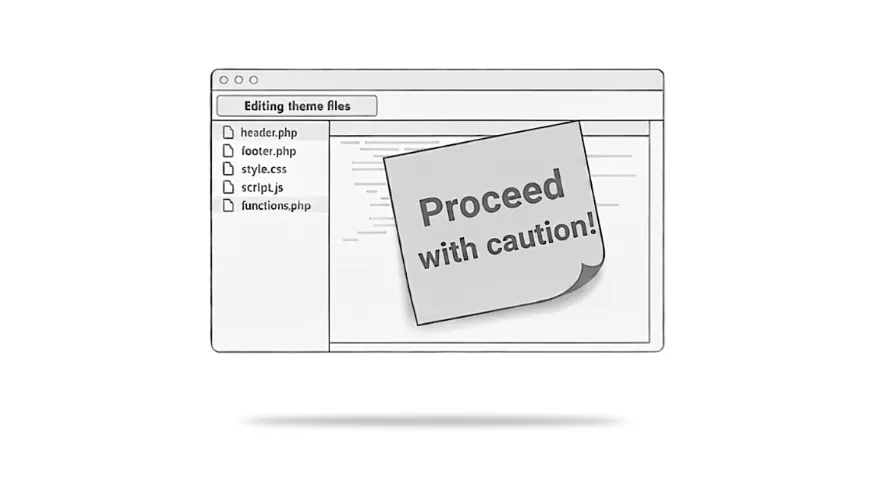
WordPress includes a built-in file editor that allows themes and plugins to be edited directly from the admin area. On the surface, this can feel convenient. A quick tweak, a small fix, no need to connect via FTP or touch the server.
In practice, it’s one of the easiest ways for a site to break unexpectedly.
I’ve lost count of the number of times I’ve seen a working site taken offline by a well-intentioned change made in the admin editor.
What the file editor actually allows
The editor gives direct access to live PHP files that control how the site runs. There’s no safety net, no staging layer, and no rollback if something goes wrong.
A missing character, a syntax error, or a pasted snippet that doesn’t quite fit the setup is enough to cause a fatal error. When that happens, the site can become inaccessible immediately, including the admin area itself.
At that point, the “quick edit” usually turns into a recovery job.
A practical resource where I explain how to think clearly about your website, so it feels easier to manage and better aligned with the way your business actually works.
Why this catches people out
The risk isn’t limited to inexperienced users.
The editor sits alongside normal content tools, which makes it feel less dangerous than it actually is. There’s no clear distinction between “editing text” and “editing the code that keeps the site running”.
On sites with multiple users, the risk increases further. Someone trying to help, test something, or follow advice they have found online can unintentionally introduce a problem that is not obvious until later. Over time, these small changes tend to accumulate and make a site harder to manage.
The problem isn’t that people make changes. It’s that the admin editor makes dangerous changes feel harmless.
How I usually handle this
On most live sites, I remove access to file editing entirely and treat code changes as something that happens outside the WordPress admin.
At a technical level, this often involves adding a simple rule like this:
define( 'DISALLOW_FILE_EDIT', true );
This prevents files being edited through the admin interface, without affecting how the site runs day to day.
As with most things, the line itself isn’t the point. The goal is reducing risk and making it harder for small, accidental changes to cause large problems.
Why this is about safety, not restriction
Disabling file editing is not about locking things down unnecessarily. It is about recognising that live sites benefit from clear boundaries, especially when reliability and stability have already become concerns.
Code changes are still possible when they’re needed. They just happen in a way that allows for testing, review, and recovery if something goes wrong.
For business sites especially, reliability usually matters more than convenience.
When it’s worth thinking about this
If your site has multiple users, has been worked on by different people over time, or feels fragile when changes are made, this is often one of the first safeguards I put in place.
It doesn’t fix underlying issues on its own, but it removes a common source of avoidable problems and makes the site easier to look after in the long run.
A safer way to move forward
If your site feels a little fragile, or changes tend to cause unexpected side effects, it’s often a sign that the setup needs clearer boundaries rather than more quick fixes.
If that sounds familiar, my Fixes and Performance service explains how I reduce risk and stabilise WordPress sites that have become harder to manage over time.