

A slow WordPress admin can be frustrating, especially when you only want to make a quick change. If things have been dragging recently, it is a common problem and usually has a clear explanation.
This guide walks you through the main reasons the admin slows down, what to look out for, and when it might be time for a closer review.
Why your dashboard feels slower than the rest of your site
The admin area behaves differently from the public side of your website. Visitors tend to load cached pages, which means your hosting does not have to work very hard. The dashboard, however, loads fresh data every time. It checks plugins, retrieves information from the database, and prepares the tools you need for editing content.
Because of this, the admin often slows down before the rest of the site. It can feel confusing when your homepage loads quickly but the dashboard pauses or takes several seconds to respond.
Many people assume that if the front end is fast, everything behind the scenes must be in good shape, but that is not always the case.

A practical resource where I explain how to think clearly about your website, so it feels easier to manage and better aligned with the way your business actually works.
Common reasons the WordPress admin becomes sluggish
There are several everyday reasons behind a slow dashboard, and most of them are practical rather than dramatic. The platform itself is rarely the issue. More often, the slowdown comes from how your setup has grown or changed over time. In many cases, the admin is simply reflecting broader patterns connected to overall site speed issues, especially on long-running websites.
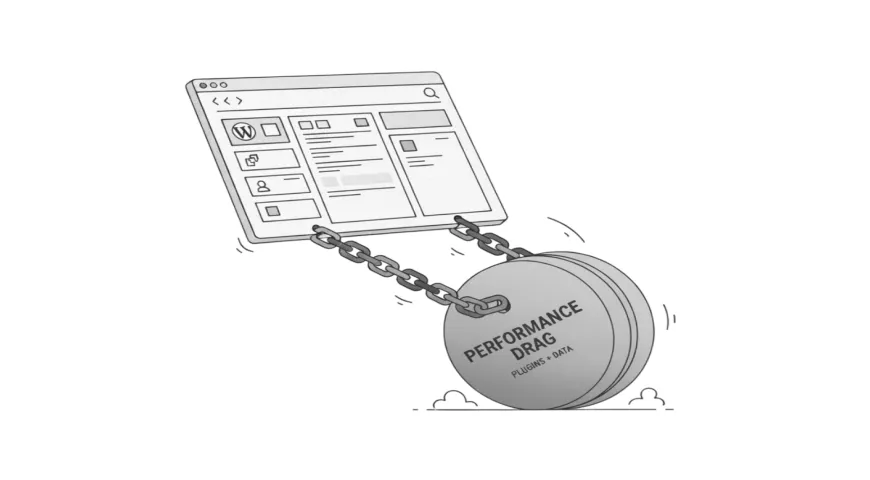
Plugins can take longer to process information as your site becomes more active. Themes may load features you are no longer using. The database can grow steadily, especially on long-running sites. Hosting limits also play a part, particularly with entry-level plans.
A common belief is that the admin becomes slow simply because there are “too many plugins”.
The number of plugins matters far less than what those plugins actually do, and issues often come from a few conflicting plugins rather than the total count.
Signs the slowdown is coming from plugins or heavy tools
Some tools naturally require more resources inside the dashboard. Page builders, ecommerce extensions, form builders, learning systems, and sliders are good examples. They are not bad tools, but they can increase the load on the admin area.
If your pages take longer to load in a builder like Elementor, or your WooCommerce screens feel slow when switching between products, it can be a sign that the dashboard is working harder than before. These delays also tend to appear after adding new features or changing your editing workflow.
One real-world example is trying to update a blog post before a deadline, only to wait twenty or thirty seconds for the editor to open. Another is switching between product pages and noticing a pause after each click. These moments do not seem serious at first but become more disruptive over time.
A frequent myth is that a single plugin update will restore lost speed. Updates can help, but they cannot fix underlying strain if the dashboard simply has too much to handle.
When hosting or server limits are behind the slowness
Your hosting plan plays a large role in how quickly the admin responds. The dashboard sends more requests to the server than a normal visitor would, so lower power hosting can struggle even if the front end appears fine.
On shared plans, your site competes with others for resources such as memory, processing power, and database access. When those limits are tight, the admin is usually the first place you notice it.
Lower power servers may also delay tasks like saving drafts, switching between screens, or opening the editor. Even if you cannot see what is happening, the server is working in the background to gather and prepare the information you need.
A common misunderstanding is that hosting must be fine as long as the website loads quickly.
In reality, caching can keep the front end fast while the dashboard becomes slower and slower.
How slow admin affects your day to day work
A sluggish dashboard is more than a small inconvenience. It can affect your productivity and make routine tasks take far longer than they should.
When each screen loads slowly, even simple updates can feel drawn out. Editing pages, adding blog posts, adjusting service information, or managing orders all take extra time. If you publish content regularly, the delays can build up across the week.
A relatable example is logging in to make a quick change for a client update and waiting repeatedly for each part of the editor to load. What should take five minutes can turn into a fifteen minute task. Over time, this lost time and friction can become frustrating.
When the issue needs expert attention
Some slowdowns can be understood or worked around, but others are a sign that a deeper look is needed. A WordPress specialist can safely diagnose the problem without guesswork.
You may want help when:
- the admin becomes slower even after removing unused plugins
- pages in the editor take an unusually long time to load
- changes fail to save or the dashboard freezes
- your hosting plan seems reasonable but performance still drops
- multiple tools have recently been added or replaced
- you rely on the site heavily for client work or sales
None of these signs mean something is broken. It simply means the cause is not obvious from the outside. A developer can review how the site is structured and see what is placing pressure on the dashboard.
What you can do next
If your dashboard feels heavy or slow to use, my Fixes and Performance service explains the type of improvements that help WordPress feel more responsive and easier to manage day to day.
If you’d like a clearer sense of my overall process, this post on how I approach fixing slow sites gives a helpful overview of the steps that usually make the biggest difference.