

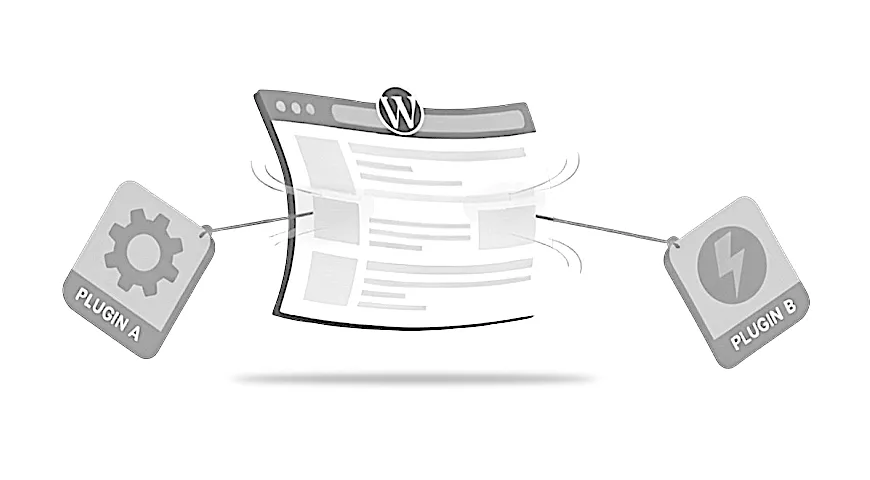
When a WordPress site starts behaving oddly, it is easy to assume something serious has gone wrong. In many cases, the cause is far simpler. A WordPress plugin conflict happens when two tools try to control the same part of your site in different ways. Understanding why this happens makes the situation far less worrying and helps you make steady, confident decisions, especially if you are also noticing a slow website.
Why plugin conflicts happen in WordPress
WordPress is an open platform with thousands of plugins made by different developers. Each plugin has its own approach, goals, and assumptions. Most of the time everything runs smoothly, but when two tools try to change the same thing at the same time, a conflict can appear.
It does not mean you chose the wrong plugin or made a mistake. Conflicts are a natural part of using an open, flexible system.
A plugin conflict simply means two tools are trying to do their job in ways that overlap. Nothing is permanently broken. Something just needs a closer look.
A practical resource where I explain how to think clearly about your website, so it feels easier to manage and better aligned with the way your business actually works.
Common signs that a plugin conflict is affecting your site
Conflicts often show up as features that worked yesterday but no longer behave as expected today. Typical signs include:
- layouts shifting or changing shape
- buttons not responding
- parts of a page loading slowly or not at all
- forms no longer sending messages
- unexpected behaviour in checkout or booking tools
If you use WooCommerce, you might notice the checkout acting strangely. If you use a page builder such as Elementor or Beaver Builder, sections may move or lose formatting after installing or updating another plugin.
These kinds of issues are familiar patterns in struggling sites and usually point to two tools trying to handle the same part of the page.
Why builders, ecommerce tools, and visual plugins conflict more often
Plugins that control large parts of your site have more opportunities to overlap with others. Page builders, ecommerce tools, form plugins, sliders, and pop ups all load multiple scripts and design elements.
Because they influence so much of the page, they occasionally collide with other tools doing something similar. For example, Elementor or Beaver Builder can clash with plugins that add animations, styles, or visual effects. Likewise, WooCommerce may conflict with marketing tools that adjust how forms or product displays load.
These tools are widely used and well supported. The conflicts come not from poor quality, but from the sheer variety of plugins available.
How updates and scripts trigger new conflicts
Updates keep your site secure and up to date, but they sometimes introduce small changes that other plugins are not prepared for. It’s one of the most common reasons people notice updates breaking things, even when the change seemed minor.
One frequent example involves jQuery, a script many plugins rely on. If one plugin updates the script or loads a different version, another plugin expecting something else may stop working correctly. This can lead to missing features, broken layouts, or elements that no longer respond.
These issues are invisible behind the scenes, which is why they feel confusing. Nothing “looks” broken, but something has shifted in how the scripts load.
Real-world examples small businesses face
Here are a few situations that reflect how plugin conflicts appear during normal day-to-day use:
- A café using a booking plugin finds the date picker stops opening because a slider update introduced a script that overlaps with the booking tool.
- A coach using Elementor installs a pop up plugin and notices parts of the page become misaligned as both tools try to animate elements differently.
- A shop owner running WooCommerce sees the checkout button stop responding after a marketing plugin loads a competing script.
In every case, the business owner did nothing wrong. The conflict simply appeared because two tools started managing the same parts of the site.
Your options without doing anything technical
It is tempting to start turning plugins off and on, but this can hide important clues or cause the site to behave unpredictably.
A safer first step is to pause and note what changed recently. Did you update something? Add a new plugin? Adjust a setting? This simple information is extremely helpful for diagnosing the cause.
If your site is still usable, there is no need to rush. Most conflicts are fixable, and taking a calm approach helps avoid making accidental changes that make the issue harder to resolve.
When you should get help from a WordPress developer
There comes a point where the issue touches parts of your site that matter too much to risk guessing. If a conflict affects:
- payments
- bookings
- forms
- checkout
- key pages for your business
…it is worth getting help.
A developer can identify the cause safely, isolate conflicting tools, and restore stability without trial and error. They understand how scripts interact and can test changes in a controlled way, reducing the risk of further disruption.
Getting help early can save hours of frustration and protect important features.
A calm next step if your site feels unstable
If your site has started behaving strangely and you suspect a plugin conflict, you are not alone. These issues are a normal part of how WordPress works, and they can be resolved without rebuilding anything.
If plugin conflicts are causing unpredictable behaviour, my Fixes and Performance service explains how I help untangle setups that have become messy so the site feels calmer and more reliable.