

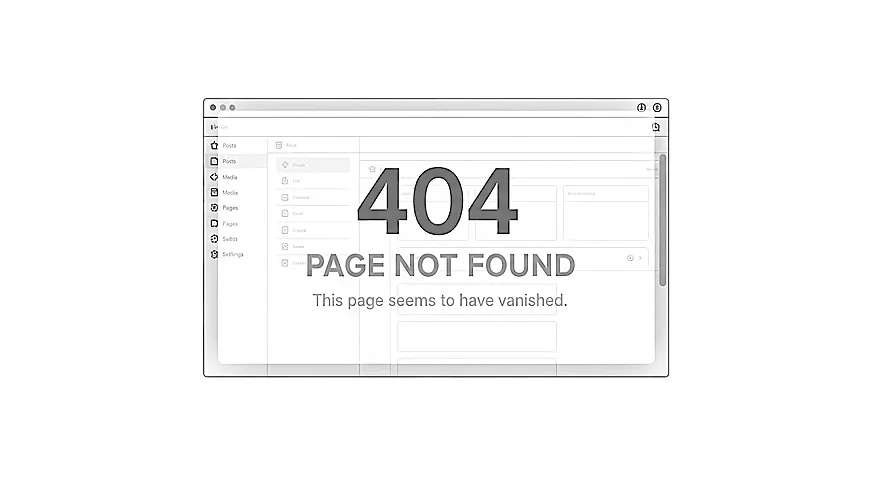
If you have recently seen a WordPress 404 error on your site, it can feel confusing or worrying, especially if the page used to work perfectly. Many small business owners look for guidance on fixing or avoiding 404 problems in WordPress, but the first step is understanding what the error is actually telling you.
A 404 simply means the page could not be found at the expected address.
The page may still exist, it may have moved, or something may be interrupting the path between the link and the content. Once you know why these errors appear, you are in a clearer position to decide what to do next.
What a 404 Error Actually Means
A 404 message appears when WordPress tries to reach a page, post, product, or other content type but cannot locate it at the requested URL. This can happen even when the content is still on your site.
The key point is that a 404 reflects a mismatch between a link and a destination. For a visitor, it feels like a dead end. For you, it naturally raises questions about missed opportunities or whether other parts of the site may also be affected.
A small shift in structure or settings can trigger these errors, so they are often less dramatic than they first appear.
A practical resource where I explain how to think clearly about your website, so it feels easier to manage and better aligned with the way your business actually works.
Common Reasons WordPress Shows 404 Errors
Many 404 problems come from everyday changes made during normal site management. These small adjustments can create unexpected breaks without you realising.
Here are some of the most common causes:
1. Changed page or post URLs
If you update a page title or adjust a slug, any old links pointing to the previous address can lead visitors to a 404 page.
2. Moved content or reorganised menus
Shifting content into new categories or sections can break older paths, especially for blog posts or product pages.
3. Deleted or replaced pages
When a page is removed without a redirect, anyone using an old link will see a 404.
4. Plugin or theme changes
Plugins that manage URLs, translations, membership areas, or shop pages sometimes alter the structure behind the scenes. Tools like Elementor or WooCommerce may also adjust how certain types of content are displayed or accessed.
5. Redirect issues
If a redirect tool becomes outdated or points to the wrong location, visitors may be sent somewhere that no longer exists.
Why 404 Errors Sometimes Appear Across the Whole Site
There is a difference between a single missing page and a situation where large parts of the site show 404 messages. When 404s appear everywhere, it usually points to a broader structural issue. In some cases you may even notice 403 errors appearing at the same time, which often indicates that something deeper is affecting how WordPress is handling paths or permissions.
These wider problems can stem from:
- a disrupted permalink structure
- conflicting settings from plugins or themes
- changes to how certain content types are handled
- caching that sends visitors to outdated paths
- conflicts that interrupt how pages are routed
This kind of behaviour can feel sudden. One moment your site works as expected, and the next several links break at once. It is common, and in many cases, straightforward to repair once the root cause is identified.
How 404 Errors Affect Visitors and Your Business
A single 404 does not harm your site, but repeated errors can have an impact over time.
Visitors may:
- hesitate when a page they expected does not appear
- assume the information no longer exists
- think the site is outdated or unreliable
For a small business, this can mean missed enquiries, bookings, or sales. It can also affect how search engines understand your site, particularly if important pages become difficult to reach.
This is not intended to create worry. It is simply a reminder that understanding 404s early helps maintain a smoother experience for both visitors and search engines.
How to Think About 404 Errors in Plain English
It helps to imagine your site as a series of labelled folders. If you change the name of a folder, any old labels pointing to the previous name will no longer match. A 404 appears when WordPress follows a label that no longer leads to the right place.
This simple idea explains why:
- changing a page title can break links
- reorganising a menu can disconnect older shortcuts
- a plugin update can alter how paths are labelled
A small behind the scenes change can cause several routes to stop working at once.
A Helpful Example
Imagine you have a Services page called “Consulting Support”. You decide to rename it “Business Support” and update the wording. The page is still there, but its address has changed.
Any button, menu link, or bookmarked URL that points to the old name now leads to a 404.
Nothing is broken. The content is simply at a new address, and the old signposts are still pointing to the previous one. This everyday change is one of the most common triggers.
Misunderstandings About 404 Errors
A few ideas often cause confusion:
- A 404 always means a page is deleted. In many cases, the page is still there.
- A 404 is a sign of hacking. Most 404s come from structure changes, not security issues.
- Fixing 404s requires technical skills. It is often more about understanding the cause than making complex adjustments.
- The site is failing if a 404 appears. It is a normal part of running a site and can be resolved calmly.
Why Some 404 Errors Keep Returning
A one-off issue is usually simple. When the same pages keep disappearing or links repeatedly break, it suggests something deeper is happening behind the scenes. These recurring patterns often come from tools adjusting URLs automatically, plugins overwriting each other’s settings, or menu links that do not update when pages move.
A few possibilities include:
- a tool repeatedly changing URLs
- plugins that overwrite each other’s settings
- menu links that do not update when pages move
- conflicts between content types, especially with builders or shop features
- redirect rules that clash or expire
If you have searched for guidance on fixing 404 errors in WordPress, you may have seen a wide mix of advice. The real solution depends on identifying the specific cause. Guesswork often leads to more loose ends or new errors.
When it is safer to get support
Most 404 issues are manageable, but some situations benefit from a specialist taking a closer look. This is particularly true when:
- large sections of the site show 404s
- the homepage or key landing pages disappear
- URLs change without you adjusting anything
- plugin or theme updates keep altering your structure
- the issue returns after small fixes
- you have a shop, membership, or booking system affected by broken links
A developer can trace the route from link to destination, check which tools are influencing the structure, and identify the reason the paths no longer align. This prevents guesswork and protects your visitors from frustration.
If things feel unclear
If pages are disappearing or returning 404 errors, my Fixes and Performance service explains how I help bring structure and reliability back to sites that feel inconsistent.