

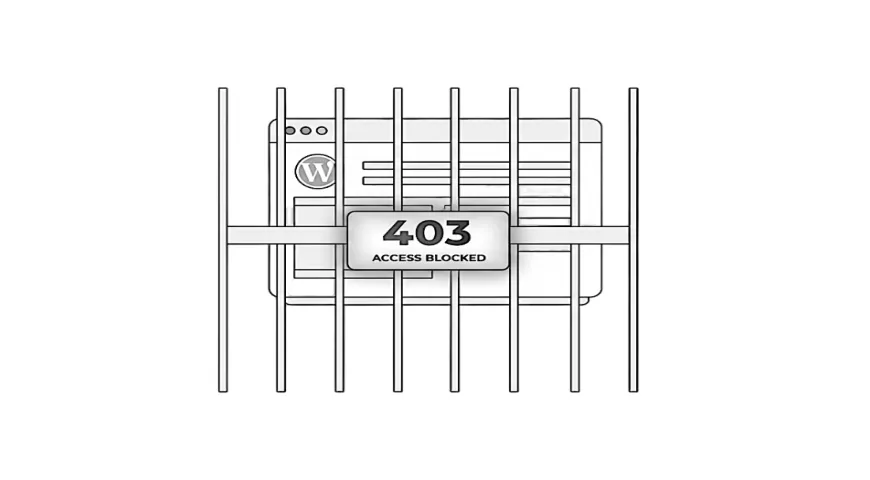
A 403 forbidden error in WordPress appears when your site blocks access to a page or action that should normally be allowed. It can feel worrying when it appears without warning, especially if you are trying to log in or visitors suddenly cannot reach important pages. It often appears without any clear reason, so the first step is understanding what the error is telling you before deciding how to handle it.
Understanding what the 403 error is telling you helps remove the worry and makes the next steps much clearer.
What the 403 error is telling you
A 403 error means the website has denied access to a page or file. It is an access problem rather than a full breakdown, and it usually means something on the site or hosting has decided to block a request.
This block can come from a plugin, a security tool, a hosting rule, or a file that controls access. It does not always indicate anything harmful. In many cases it is the result of a rule being too strict or something small being misread as a potential risk.
Understanding this helps you make sense of what is happening rather than assuming the entire site is in trouble.

A practical resource where I explain how to think clearly about your website, so it feels easier to manage and better aligned with the way your business actually works.
Common reasons a 403 error appears on your site
There are several everyday causes behind a 403 error, and many of them come from how your site’s tools handle access. Security plugins, hosting firewalls, or caching layers occasionally misjudge activity and block something that should be allowed. In some setups, a 403 can also appear around the same time as 500 errors, simply because both can be triggered when a rule or process becomes confused rather than genuinely broken.
Many 403 errors come from tools trying to protect your site, not from anything being broken.
Another common cause is a plugin conflict. Two tools that work well on their own can overlap in a way that triggers a temporary block. If you recently updated a plugin or installed something new, it may be part of the picture.
Access rules in your hosting control panel can also create restrictions without you noticing. Sometimes a file that controls these rules becomes out of sync or contains an old setting.
People often look for how to fix a 403 error in WordPress, but the trigger can vary from site to site. Understanding the likely reasons helps you avoid guesswork.
Myth to avoid: It is not always caused by a major permissions failure. Often it is a simple rule that needs attention.
Situations where the 403 error affects your visitors
A 403 error does not always appear in the dashboard. It may show up on public pages, which can affect the way customers and clients experience your site.
If you run a shop, the error might appear on a checkout page. If you run a consultancy, it can appear on your contact form. If you have client-only areas, those may become inaccessible. These are frustrating moments because you may not see the issue yourself until someone reports it.
As an example, imagine a small business site where a security plugin blocks a visitor because their request looks unusual. The visitor sees the 403 page, assumes the site is broken, and leaves. Nothing harmful has happened, but the experience is damaged.
Recognising that a single blocked page can interrupt enquiries, bookings, or sales helps highlight why this error matters.
How your own login access can be blocked
A 403 error can also prevent you from logging into WordPress. This can feel alarming because it appears as if you have been locked out of your own site.
This usually happens when a rule interprets your login attempt as unusual. It might be related to a cookie issue, a security plugin limit, or a hosting block triggered by multiple login attempts. It can also happen after an update if a plugin changes the way it handles access.
Most of these causes are easy to understand once the root issue is identified. The key point is that being locked out does not mean you have broken anything or that the site is unsafe.
Misunderstandings that lead people in the wrong direction
Because the 403 error looks serious, many people start searching for highly technical explanations. This often leads to articles with file permission codes, server commands, or actions that feel overwhelming.
The difficulty is knowing which parts actually apply to your site. Without a clear diagnosis, it is easy to try fixes that are not relevant or to change things that do not need altering.
A common misunderstanding is assuming the error always comes from file permissions, when it is often something much simpler.
Another is thinking that resetting everything will solve the problem. In reality, the cause might be something much simpler, such as a plugin rule that is slightly too strict.
Keeping the focus on understanding the cause rather than jumping into technical fixes prevents unnecessary confusion.
When the issue needs expert attention
Some 403 errors clear up with small adjustments, but others need a closer look from someone who understands how WordPress, plugins, and hosting work together. When the same message appears across several areas of the site, it can be a sign that the underlying structure is becoming harder to follow, which is a familiar pattern in hard-to-manage websites rather than a single rule misfiring.
If the error appears on important business pages, if it blocks your login access repeatedly, or if multiple areas of the site show the same message, it may point to a deeper rule or conflict.
Situations that involve a combination of plugins, security tools, and hosting settings can take time to untangle. A WordPress specialist can review everything calmly, identify the root cause, and make sure the block does not return.
Getting help is not about giving up control. It is about saving time and avoiding guesswork on an issue that can have several overlapping triggers.
A simple next step
If you’re seeing 403 errors or unexpected blocks, my Fixes and Performance service explains the kind of technical adjustments that help restore access and keep things running smoothly again.